

CRM: from quote to invoice
A prospect, a quote (PDF and email), a decision: the accepted quote becomes a customer invoice. A sales agent assists with follow-up.
Discover the CRM moduleBusiness owners and entrepreneurs
Quote, contract, project, team, invoice: Pinnokio links these steps all the way to the accounting, so you run your business instead of re-entering data.
A prospect, a quote (PDF and email), a decision: the accepted quote becomes a customer invoice. A sales agent assists with follow-up.
Discover the CRM modulePhases, milestones, tasks, team, scope amendments and time spent. The project records the work done; it does not invoice on its own.
Discover the projects moduleA contract sets when and how to invoice: recurring, by milestone, by usage or by progress. Revenue is recognised at the pace of the contract.
Discover the contracts module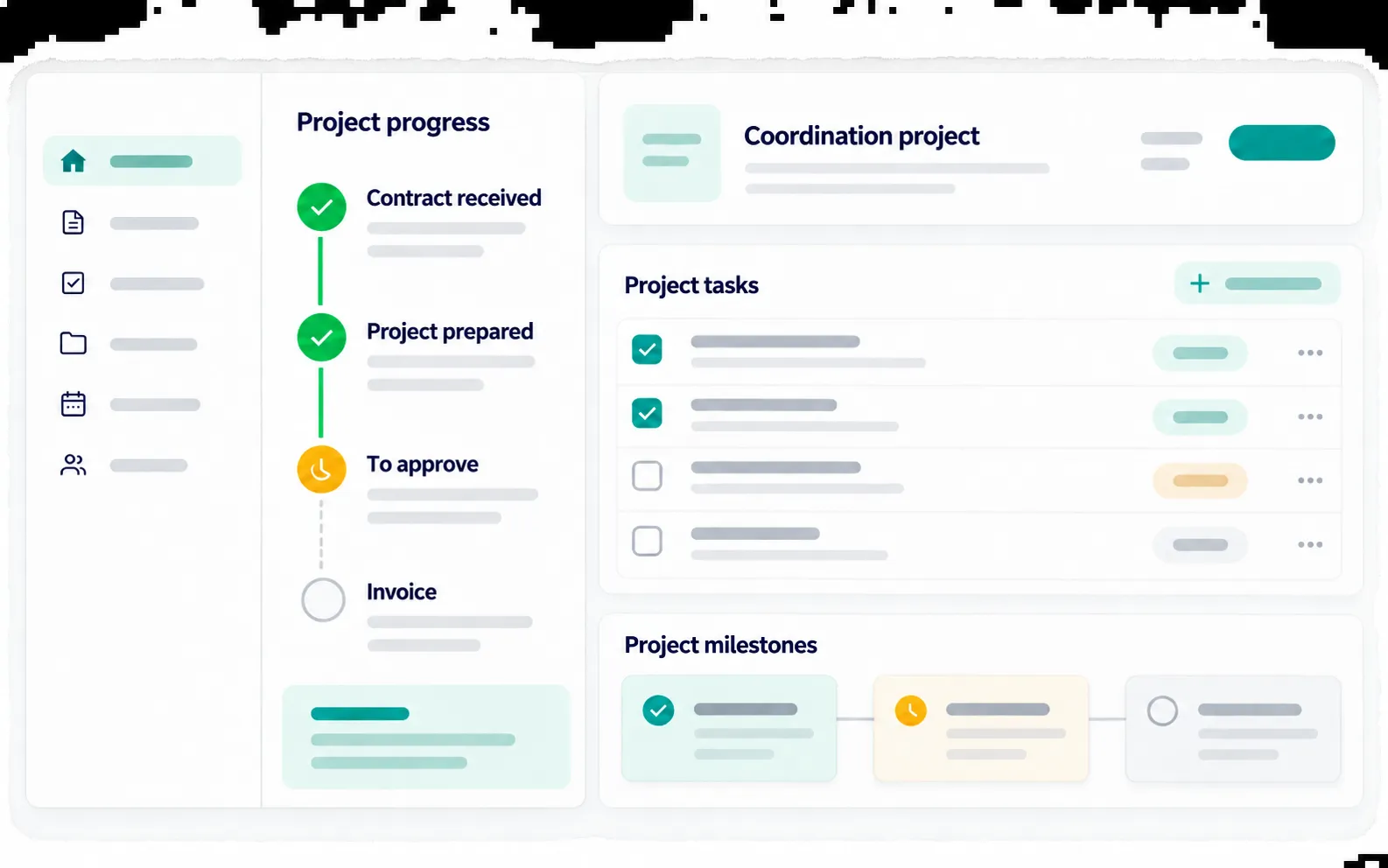
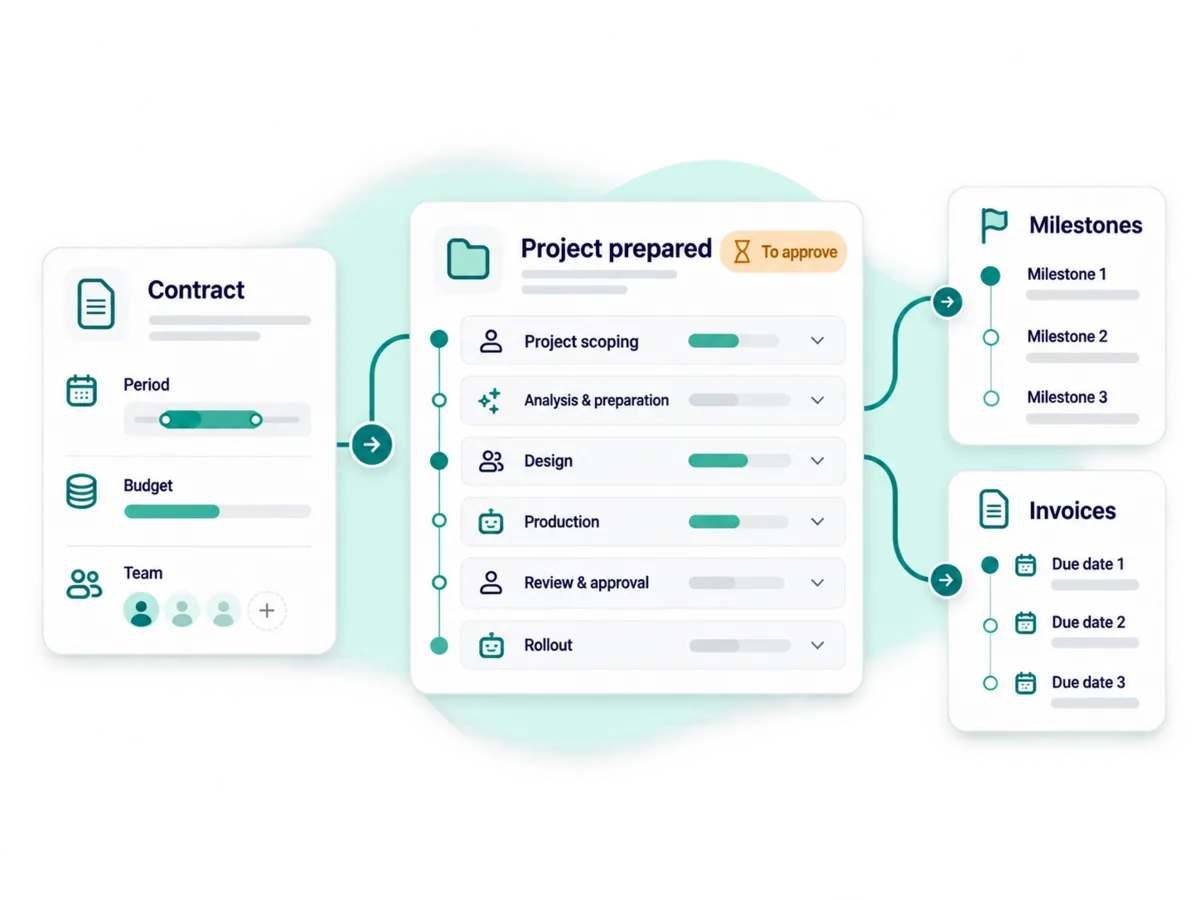
The contract describes its lines and its invoicing method.
A project, or one of its phases, is linked to a contract line.
Hours logged, milestones reached, progress measured.
The invoice is prepared, its amount is shown to you, you approve. It goes into the accounting.
Invoice a completed phase or a fixed price, with or without a contract.
Hours accumulate in a "to invoice" basket or become contract statements.
Cumulative progress × contract amount − already invoiced − retention − down payment. The down payment is deducted from the next invoice.
You upload a contract: Pinnokio reads its terms, creates the project and its tasks, spots the due dates and prepares the invoicing. You approve.
See the contract → invoice caseYou collect payments through several channels (till, online shop, platform). The connector module consolidates this revenue into journal entries, currently from your Excel or CSV exports.
Understand the connector moduleEmployees, contracts, pay items, gross-to-net calculation, withholding tax, payslips and journal entries. Fully available for Switzerland; coverage of other countries varies.
Discover the payroll moduleStock movements, warehouses, valuation, import of opening stock.
Pinnokio draws on your accounting, your projects and your CRM to estimate your future cash flow and, soon, keep budgets and forecast up to date.
See forecastsRestaurants, construction, consulting, education, hospitality: each trade has its own rules. The use cases show how Pinnokio adapts to them.
See use casesYour business isn't run alone: invite your team and define what each person can do.
Each user accesses what their role allows: view, enter, approve.
Approvals go to the right person and are logged: who decided what, and when.
Everyone talks to the same Pinnokio, which knows the company's context and its rules.
Payroll, financial statements and other modules depend on the country. The Modules page shows, country by country, what is available.
The contract sets the invoicing cadence (recurring, by milestones, by usage or by progress). The project records the work (hours, milestones, progress). The customer invoice is the output, presented with its amount for approval before being posted to the accounting.
Yes. You upload the contract; Pinnokio reads its terms, creates the project and its tasks, spots the due dates and prepares the invoicing. Decisions and invoices remain subject to your approval.
Fixed price, milestones, time spent and progress, with cumulative progress invoices (retention and down payment deducted from the next invoice).
Employees and contracts, pay items, gross-to-net with withholding tax, payslips, salary certificates and payroll entries. Switzerland is covered for its 26 cantons; for other countries, coverage varies.
Yes. The connector module takes the exports from your tools (currently Excel or CSV) and turns them into journal entries; your tools stay in place.
Pricing
You pay as you go, in credits, with no mandatory subscription. Here is the order of magnitude.
5'000 credits offered on sign-up, no credit card required.
Context, capabilities, rules and approvals: what makes it possible to do almost anything.
Concrete scenarios, from the document to the journal entry.
What is available, country by country.
Pay for what you use, in credits.
Guides and analysis for fiduciaries and SMEs.
Other journeys
A contract, a project, a team: see Pinnokio follow your work, on your own business.