

Business owners · time-based services
Available
From the calendar to invoices to approve
Read the calendar, apply the rates, prepare the drafts, ask for approval.
The situation
A freelancer or a firm invoices services that appear in its calendar: appointments, sessions, interventions. Rebuilding the invoices from the calendar every month takes time and invites omissions.
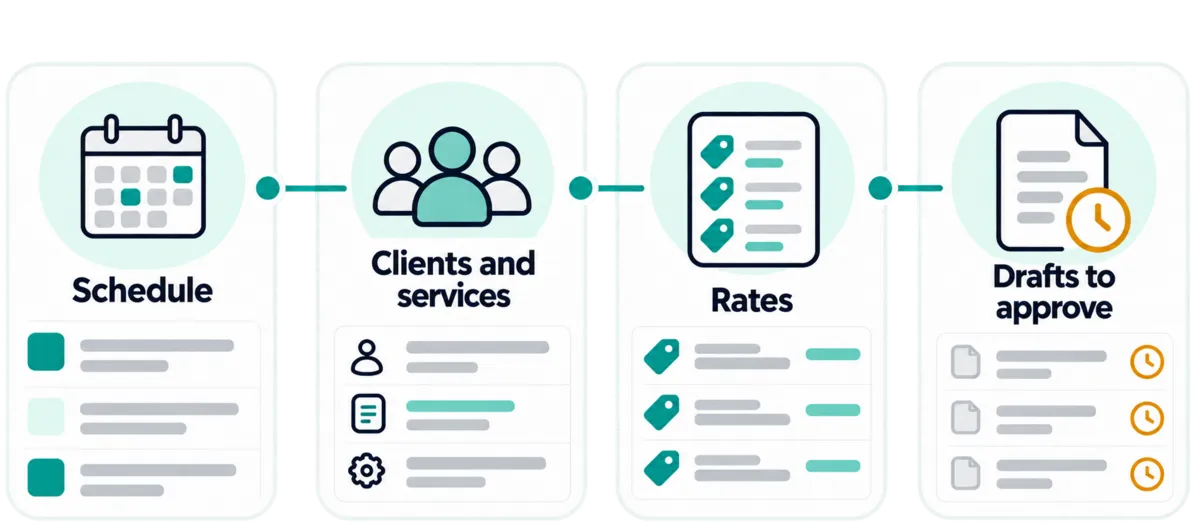
What Pinnokio does
- 1
Read the calendar
Access to the calendar or its export.
- 2
Identify customers and services
Each event is linked to a customer and a service.
- 3
Apply rates and groupings
The defined rates and the grouping rules are used to build the invoice lines.
- 4
Create the drafts
The invoices are created as drafts.
- 5
Request verification
The customer or the person in charge is notified to check and approve.
The result
Draft invoices, built from the calendar and submitted for the planned approval.
Limits and approvals
- Ambiguous data triggers a request for clarification before the case concerned continues.
- This scenario is a chain: the agent combines several tools (calendar reading, invoice creation, email) under your file's rules.
- Prerequisites: access to the calendar or its export, identifiable customers, defined services and rates.
Frequently asked questions
How does Pinnokio chain these steps?
You ask the agent to invoice from the calendar; it has several tools and your rules, and chains them: reading the calendar, identifying customers, applying rates, creating drafts, requesting approval.
Are the invoices sent automatically?
No: they are created as drafts, then submitted for the planned approval.
See how it works on your own scenario
A business situation, your tools, your rules: the demo starts from your reality.